
Free
For a file to understand today.
€0no account
Runs in your browser.
- Every analysis, in your browser
- No account: continue as guest
- Medium-size files (the memory of a browser tab)
- Machine learning with the scikit-learn models
- English and French
Cleaning, explained models and forecasts with nothing to configure. Every automatic choice is a coded rule that shows its reason.
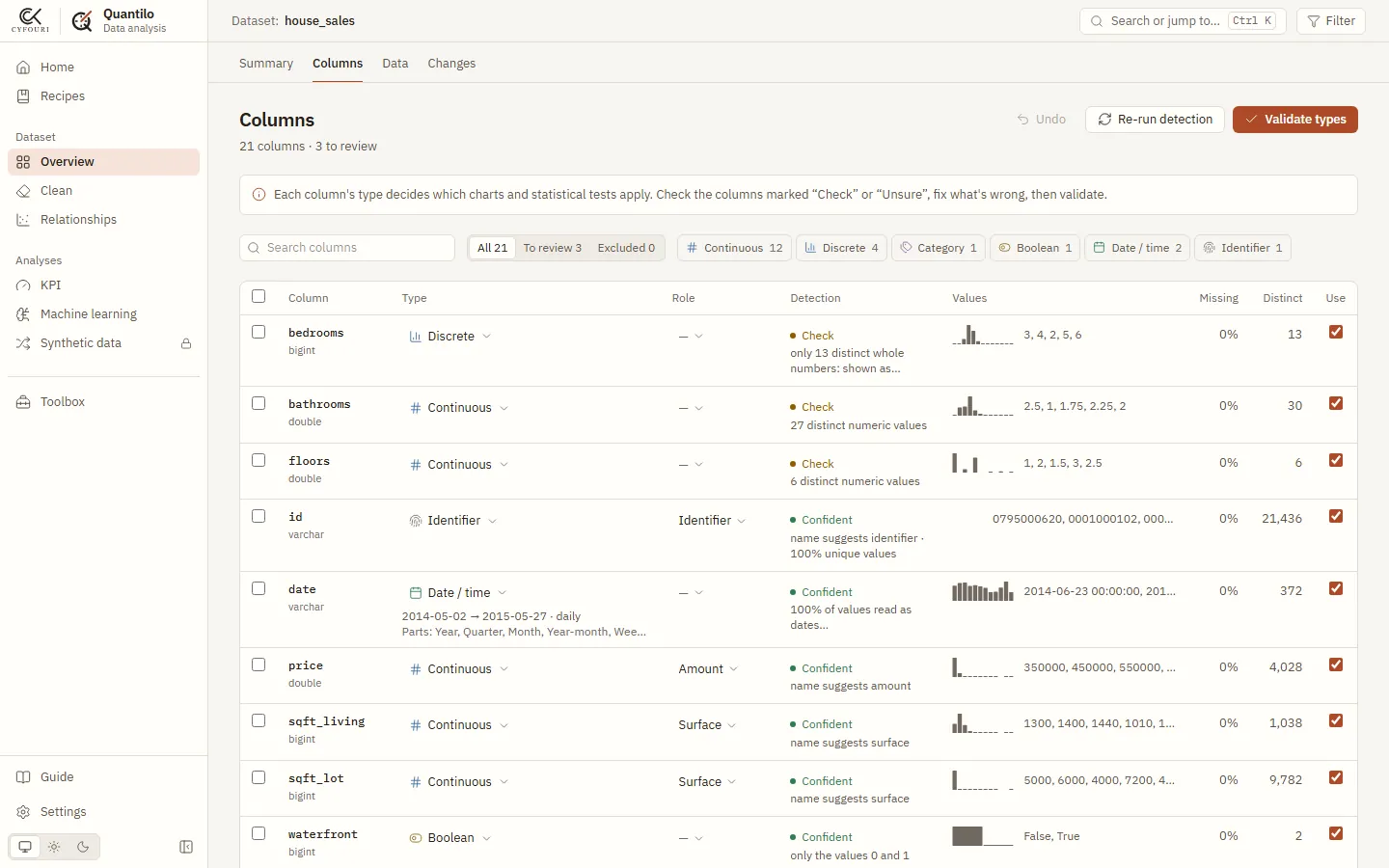
date is text such as 20141013T000000: stored as dates. Applied, rule right on 99% or more of casesyr_renovated is 0 on 20,699 rows (95.8%): it means never, not the year 0. Waits for your tickprice with R² 0.69 on rows it never saw.grade, zipcode and sqft_above: the score drops most when each one is shuffled.Real output of the engine on the King County house sales sample (CC0). Times measured with the desktop engine on a laptop; the browser version first loads for about a minute. Try this sample in the app.
CSV, Parquet or Excel, or a folder of files with the same columns. Encodings, separators and title rows above a table are read for you.
Each column gets its type and role with the reason, the fixes it needs, and the right chart and test. Nothing to set first.
Train and explain a model, forecast a series, build KPIs. Save the work as a recipe and replay it on next month’s file.
Screens of the free browser version on the 21,613 house sales above.
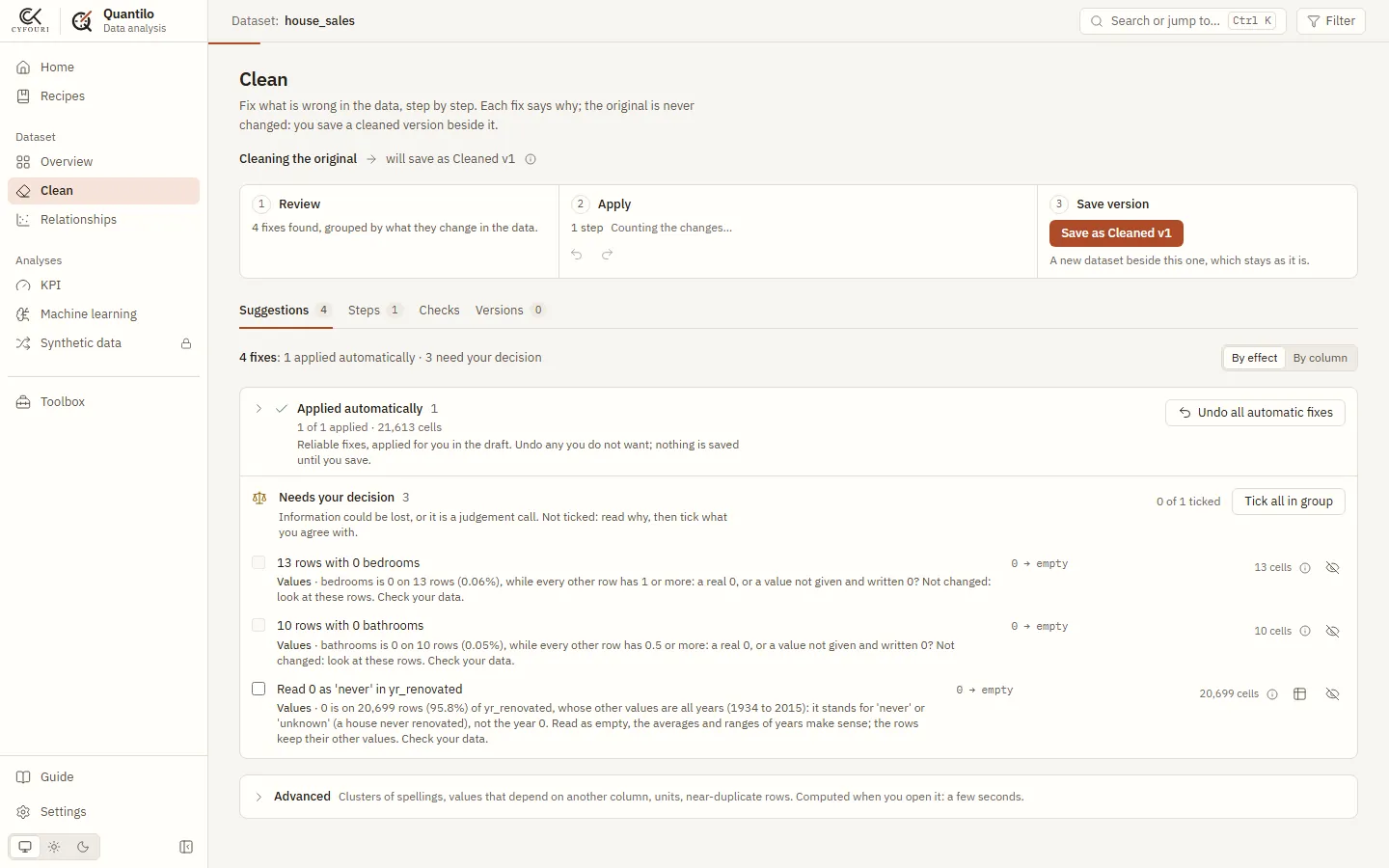
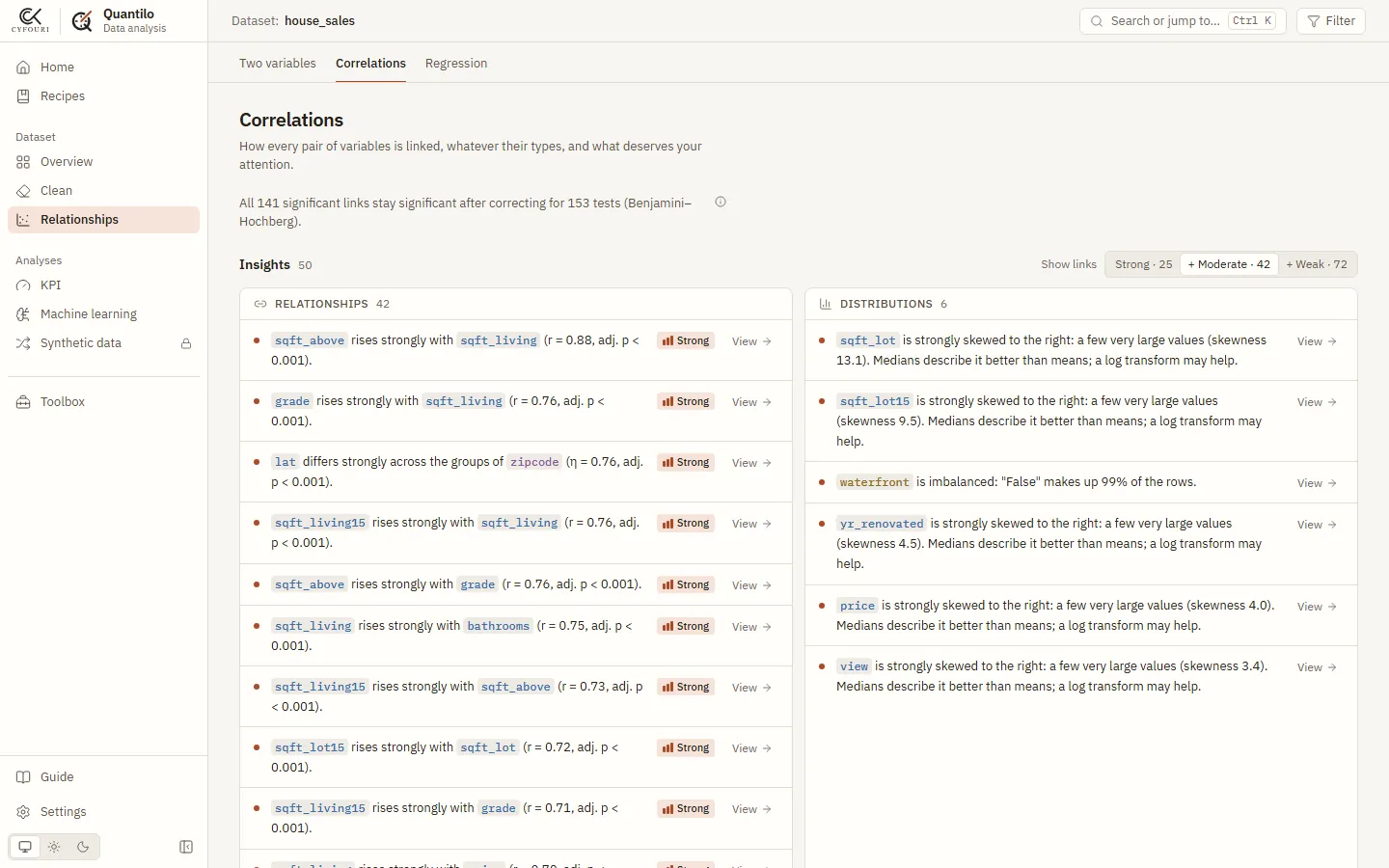
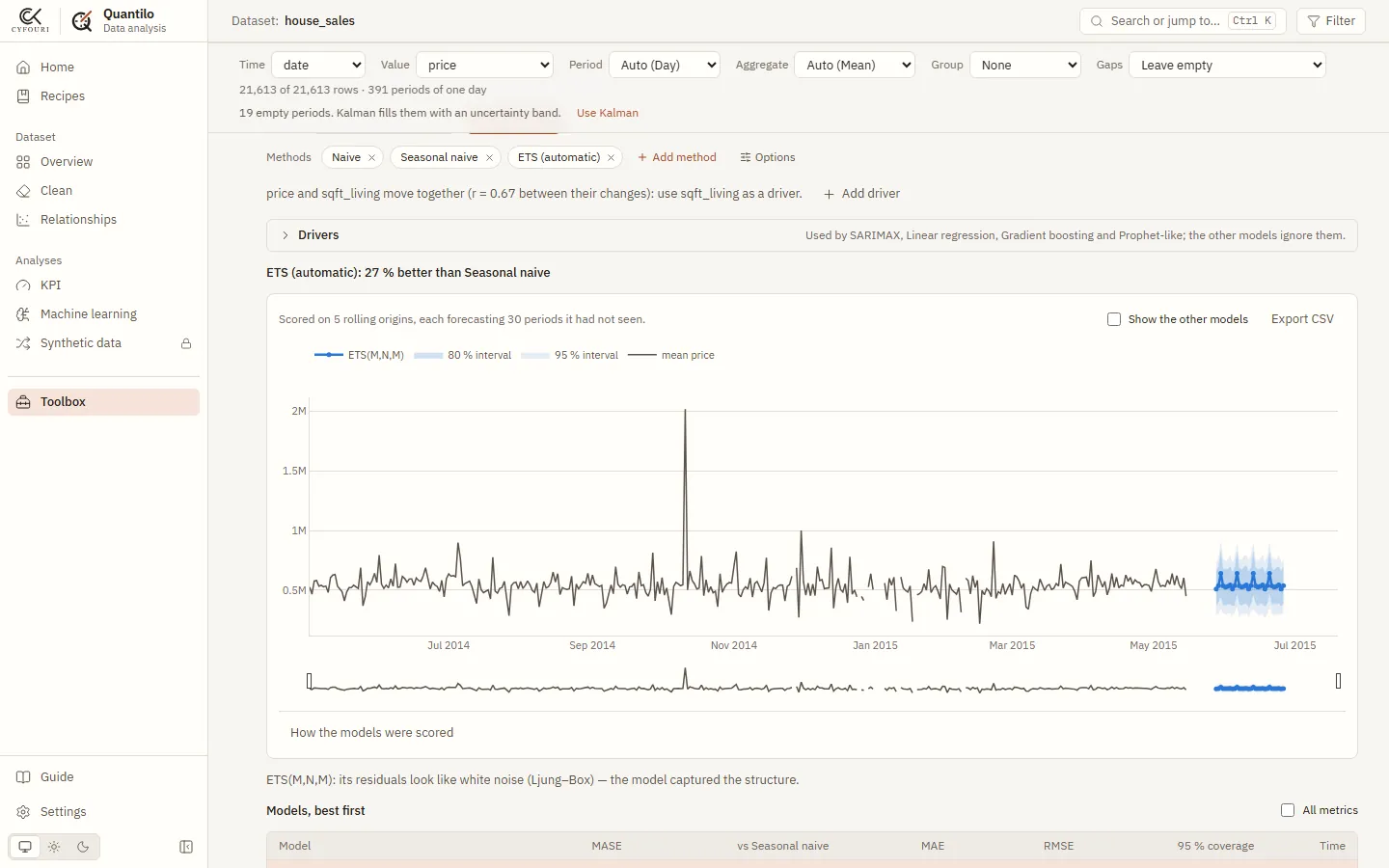
The types choose the tests, the cleaning feeds the models, the models feed the decisions. You can stop at any layer.
CSV, Parquet, Excel, JSON, logs and folders of files. The encoding is read from the bytes; tables inside a laid-out sheet are found.
Numbers, categories, dates, identifiers, free text, and roles such as amount, surface or postal code, each with its reason.
78 cleaning rules. The 14 measured right on 99% or more of cases apply themselves; the others wait for your tick.
Every variable at a glance, then one in depth: normality tests, law fitting, outlier rules.
Correlations across every pair of types, p-values corrected for multiple testing, regression with controls, structure (PCA).
Segments of similar rows, and the unusual rows that stand out on several columns at once.
39 models in 10 families and an Auto mode. SHAP values, effects of each column, and what would change a prediction.
Trend, seasonality, stationarity, and 29 forecasting models compared on back-tests, pretrained AI models included.
KPIs suggested from your columns, A/B tests, sample sizes, and what other decision policies would have earned.
Recipes that replay the work on a new file, reports, exports, and synthetic copies without the real rows.
Read from the source on 13 November 2026. Models: 10 families; XGBoost, LightGBM and CatBoost run in the desktop version. Forecasting: 5 pretrained models, downloaded on demand in the desktop version. Cleaning: rules and their variants, 14 of them applied automatically. Tests: the test functions of the engine, the server and the interface.
Quantilo decides a lot for you. Each decision is a coded rule you can read, not a guess from a language model.
“Name suggests amount”, “only 13 distinct whole numbers: shown as categories”. Rules carry a code you can look up in the guide.
A cleaning rule applies itself only when it was right on 99% or more of the cases measured on real files. The others wait for you.
Columns that look like they contain the answer are left out of a model, p-values are corrected when many are tested, panel data is split by time.
Types, fixes and settings can be changed back. The original file is never modified.
The same engine in three places. None of them uploads your files; the one optional exception, the AI assistant, is described in the questions below.
| In your browserFree | On your computerPro | On your serverTalk to us | |
|---|---|---|---|
| Install | Nothing: open the page. | The desktop app, on Windows, macOS or Linux. | Docker, on a machine of your network. |
| Your data | Read by the page, kept in this browser. | Stays on your disk; works offline. | Stays on your network. |
| Sizes | Medium-size files. | Millions of rows. | Millions of rows, shared by a team. |
For a file to understand today.
€0no account
Runs in your browser.
For analysts who open files every week.
€19per month
or €190 a year · 14-day free trial
Payment is not open yet. Pro is in early access: the features marked “in development” are being built, and early users say which come first. Prices in euros.
Two plans for now. For a team or a company: talk to us.
Pro is not open yet: the first places are being prepared. In the meantime, every analysis is free in your browser, with no account. Open the app.
To join early access or talk about your team’s use, write to us. In the meantime, every analysis is free in your browser.
Your files do not. In the browser version the analysis runs inside the page (Python compiled to WebAssembly): your browser reads the file and keeps it in its own storage. The desktop and server versions keep it on your disk or your network. There is no analytics, in the app or on this site, and this site sets no cookie.
What does go over the network: the browser version downloads its engine from a public CDN (jsDelivr) when it loads; if you choose “Sign in with Google”, Google handles that sign-in and the app receives your name and e-mail. And one optional exception concerns your data: the AI assistant of the desktop version, once you add your own API key, sends your questions and summaries of your data (never whole rows unless you allow it) to the provider you chose.
The desktop and server versions work without a connection. The browser version needs one to load its engine (about a minute the first time); the analyses then run in the page.
CSV and other text tables, Parquet, Excel (including several tables in one sheet), JSON, JSON Lines and XML, log files, and folders of files with the same columns. Sets of images open in the computer-vision pages.
By coded rules, not by a language model. Each rule has a code and a sentence: R-TS-03, for example, averages a price per period instead of summing it, “as a sum of prices means nothing”. The reason is shown next to the result, and a cleaning rule may apply itself only after it was measured right on 99% or more of the cases in real files. Every choice can be changed.
The browser version is free, with every analysis and no account. Pro, in early access, adds the desktop app, larger files, support, and features still in development such as scheduled recipes and reports. Payment is not open yet.
The browser version needs nothing installed and suits medium-size files. The desktop version runs the same engine natively: millions of rows, XGBoost, LightGBM and CatBoost, pretrained forecasting models, folders on your disk and the AI assistant. Today it starts from the public source code with one command; a packaged app is planned for Pro.
In the browser, the memory of one tab sets the limit (WebAssembly gives Python 2 to 4 GB, less on a phone): medium-size files. The desktop version converts a file to Parquet once and handles millions of rows; a few heavy steps use a reproducible sample and say so.
Yes. The interface, the explanations and the reasons of the rules are in English and French. Choose the language in Settings.
The source code is public on GitHub; the code published so far is under the MIT licence. The licence of the versions to come, Pro included, is being decided and will be stated here.
For people who receive a file they do not know and must say something about it fast: consultants, analysts, controllers, researchers, and data scientists who want the first day of exploration done.
Free, in your browser, with no account. Try it on your own file or on one of the samples.